Last reviewed: May 2026 — covers Whatsminer CB2, CB4 and CB6 control board families, including the H3, H6, H6os and H616 CPU variants used across M20, M30, M50, M60 and M66 series miners.
The control board is the brain of every Whatsminer. When it fails — when the miner stops appearing on the network, drops a hashboard chain, hangs at 0 hash rate, or comes back from a power event refusing to boot — the question on the bench is rarely "is something wrong?" but rather "is the control board itself dead, or is it a firmware problem, or is the fault somewhere else?" Getting that question right is the difference between a 20-minute SD-card flash that brings the miner back online and a $40 control-board swap that turns out to be unnecessary.
This guide is the structured reference we use in our Shenzhen workshop. It covers every Whatsminer control board family currently in service, how to identify which one is in your miner, the diagnostic order before a swap, the replacement procedure including the often-missed firmware-flash step, the component-level repair path for shops that don't want to throw away a board over a single failed IC, and a compatibility matrix mapping every CB version to the miners it actually fits.
The Three Whatsminer Control Board Families
Whatsminer control boards split into three generations, with multiple sub-versions inside each generation. The CPU is the cleanest marker for the family — every other identification cue (sticker version, fan connector count, board layout) follows from the CPU choice MicroBT made for that generation.
CB2 Family — Allwinner H3 CPU (Legacy)
The oldest control boards still in production fleets. CB2 V8 ships with an Allwinner H3 SoC and powers the M20/M21 generation. CB2 V16 is the later sub-variant introduced when MicroBT updated the DC step-down stage on the CB2 platform. CB2 boards are the simplest to repair at component level — the DDR3 memory, the H3 CPU itself, and the secondary-side MOSFETs are all stocked as individual replacements when a swap of the whole board is not justified.
CB4 Family — Allwinner H6 CPU (Mid Generation)
The bridge generation between the H3-era M20 series and the H616-era M50+. CB4 V10 ships with the Allwinner H6 CV200-OS CPU and covers the broadest miner range of any single CB version — M20s, M21s, M30s, M30s+, M31s+ and M32 are all known-compatible deployments. MicroBT also released firmware images for an "H6os" variant on the official firmware page, which behaves as a later OS release of the H6 platform.
CB6 Family — H616 CPU (Current Generation)
The current production family, with the H616 SoC and four sub-versions covering the entire M30/M50/M60/M66 lineup. CB6 V5 ships in M33/M53/M63 hydro miners; CB6 V7 ships in the M36/M56/M66 immersion variants; CB6 V9 is the dedicated M66S board; CB6 V10 is the widest-deployment air-cooled variant, covering everything from older M20s/M21s retrofits up through the current M50 series. All four CB6 sub-versions share the H616 SoC, the 4-pin square fan connector, and the same official firmware image family.
Compatibility Matrix — Which CB for Which Whatsminer
This is the section to bookmark. Every row is a known-compatible deployment verified against the WhatsMiner official firmware download page and our own bench experience.
| CB Family | Version | CPU | Compatible Miners | LYS Replacement |
|---|---|---|---|---|
| CB2 | V8 | Allwinner H3 | M20, M20s, M21, M21s (6-pin fan) | CB2 V8 H3 control board |
| CB2 | V16 | (Updated DC stage) | Legacy M-series | Component-level repair only |
| CB4 | V10 | Allwinner H6 CV200-OS | M20s, M21s, M30s, M30s+, M31s+, M32 | CB4 V10 H6 control board |
| CB6 | V5 | H616 | M33, M53, M63 hydro | CB6 V5 hydro control board |
| CB6 | V7 | H616 | M36, M56, M66 immersion | CB6 V7 immersion control board |
| CB6 | V9 | H616 | M66S | CB6 V9 control board for M66S |
| CB6 | V10 | H616 | M20s, M21s, M30s, M30, M31s+, M32, M50 series (4-pin fan) | CB6 V10 H616 control board |
Two non-obvious notes on this matrix that catch new technicians out:
- CB4 V10 and CB6 V10 overlap on miner coverage for the M20s/M21s/M30s/M31s+/M32 series — but they are not interchangeable. The CPU is different, the firmware image is different, and the board layout differs. Identify by CPU before ordering a replacement. Do not assume a serial-number match.
- The "H616 covers M30/M50/M60" shorthand is incomplete. H616 is the family — CB6 V5, V7, V9 and V10 are four distinct boards built on it, none of which physically interchange with each other. A V10 will not register correctly in an M66S chassis; a V9 will not fit an M50 with a 4-pin fan.
Visual Identification — How to Know Which Board You're Holding
Before ordering a replacement, confirm the CB family and version from the unit you actually have on the bench. Four cues, in order of reliability:
- The version sticker. Every Whatsminer CB ships with a paper or silkscreened version marker in the same area of the board (typically near the SoC). "CB6 V10," "CB4 V10," "CB2 V8" — exact format varies but the version is always present. This is the canonical identifier.
- The CPU markings. Read the SoC text under the heatsink (if removable) or trace the part number on the BGA. "Allwinner H3" = CB2 family. "Allwinner H6 CV200-OS" = CB4 family. "H616" = CB6 family.
- The fan connector pinout. CB2 boards typically expose a 6-pin fan header; current CB6 V10 boards use a 4-pin square header. If the chassis fan harness has a different pin count to the board, you have the wrong revision in your hand — do not force-fit.
- The miner serial / firmware history. If the unit's serial registers in the WhatsMiner support portal, the model field implicitly tells you the CB family (every miner ships with the same family across its production run). Useful as a cross-check but not as the primary identifier on a used or out-of-warranty unit.
If you cannot read any of these cues from a damaged or unmarked board, send a photo of the control board with the SoC area visible to contact@lys-sz.com and we will identify the family and version for you before you commit to a replacement order.
Diagnostic Workflow — Is It Really the Control Board?
The most expensive mistake in Whatsminer control-board repair is swapping a healthy CB. The second-most expensive is missing a dead CB and replacing the hashboards instead. The diagnostic order below is the one we run before any swap.
Symptom Cluster — Suspect Control Board
- Miner does not appear on the network — no IP, no MAC visible to your DHCP server or scan tool
- Cannot reach the miner backend even with a known-good IP (port 80 / 4028 unresponsive)
- One or more hashboard chains missing in the dashboard, with no corresponding hashboard fault visible on bench
- Hash rate stuck at 0 even after a fresh power cycle
- Fan stays silent or spins at a fixed low RPM regardless of internal temperature
- Network activity LED stays off when an Ethernet cable is connected to a known-good port
Step 1 — Try Firmware Recovery Before Anything Else
The single most common "dead control board" is a control board with a corrupted or out-of-spec firmware. SD-card recovery flashing brings most of these back without parts. Download the current firmware image from the WhatsMiner official firmware page for your CB family — separate images for H616, H6os, H6 and H3 — write it to a microSD with the SD-card flashing tool MicroBT provides, slot the card into the control board, and power-cycle. If the miner comes up and onboards, you've saved a board. If the LED activity pattern during boot looks identical with and without the SD card present, the bootloader itself is unresponsive and you do have a hardware fault.
One important rule MicroBT enforces on current firmware images: rollback to an earlier version is not supported on the same board. Once you flash a recent image (anything dated after April 2024 on the H616 platform), the board's bootloader prevents downgrading. If you suspect a recent firmware upgrade caused the fault, replacement may be the only path back — but flash one more time first to confirm.
Step 2 — Confirm the Fault Isn't Upstream of the CB
A "dead" control board on the bench is sometimes a healthy CB starved of power. Probe the DC input to the control board: it should sit at the rail voltage the PSU supplies (typically 12V±0.3V under load). If the rail is low, missing, or sagging hard, the fault is upstream — PSU, adapter board, or harness — not the CB itself. The Whatsminer adapter board v1.3 D1 is a frequent culprit between PSU and CB on M10/M20/M30 platforms; the 22-pin flat ribbon cable from CB to hashboards is a frequent culprit between CB and the hashboard chain.
Step 3 — Confirm the Fault Isn't Downstream
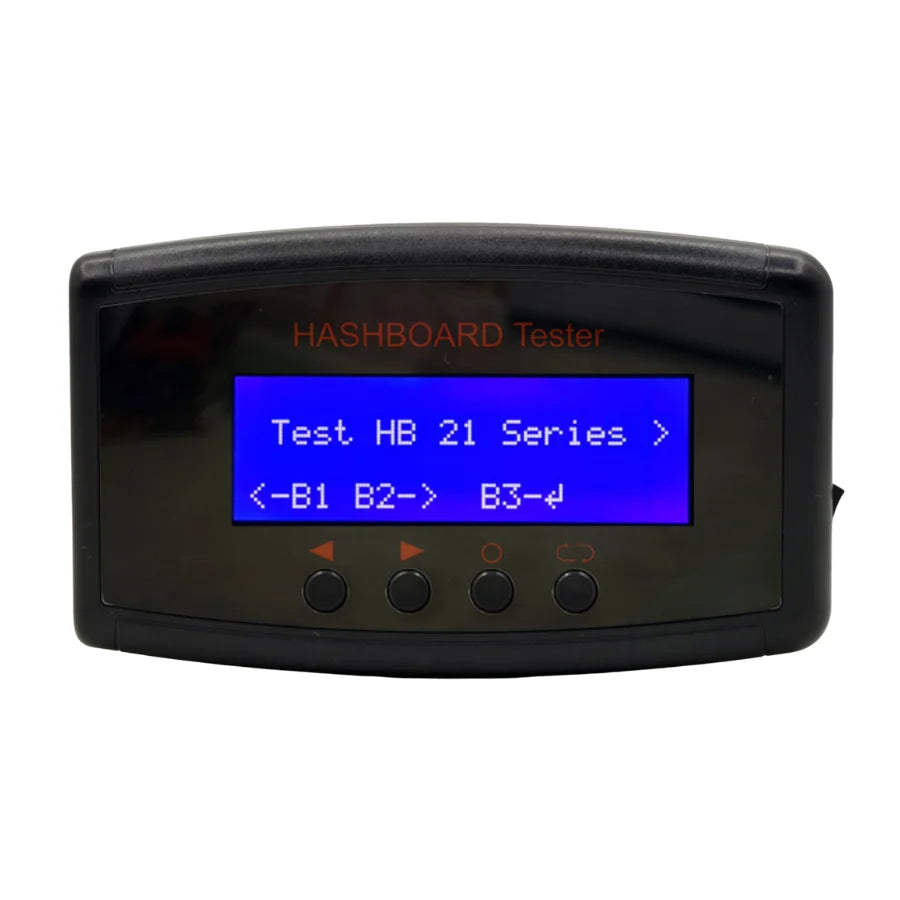
Missing a hashboard chain in the dashboard does not automatically mean the CB has failed. A dead hashboard reports as "chain missing" exactly the same way a CB I/O failure reports it. Bench-test each hashboard on an isolated fixture: the Whatsminer M60/M50/M30 hashboard test fixture for current-generation boards, or the M20/M20s/M21 hashboard tester for legacy boards. If a hashboard fails standalone on the tester, the chain-missing signal in the dashboard was downstream. If all three boards pass on the tester, the CB is the suspect.
Step 4 — Visual and Component-Level Inspection
With the CB pulled out of the chassis, inspect for: scorched components near the input filter, swollen or leaking capacitors, blackening around the H6/H616 SoC (indicates thermal runaway under the BGA), cracked solder joints on the Ethernet jack or the fan header, oxidized pins on the 22-pin ribbon interface. Any of these are immediate signs that the board needs either a component-level rework or a full replacement.
Step 5 — Confirm With a Known-Good Swap
If the diagnostic so far is ambiguous, the cheapest definitive test is to fit a known-good replacement CB of the matching family and version, re-flash the current firmware, and bring the miner up. If the unit returns to normal, the original CB was the fault. If the unit still misbehaves with the new CB, your fault is elsewhere — save yourself a return trip by completing this swap before condemning the board.
Replacement Procedure
Air-cooled and immersion variants share most of the workflow. The hydro-specific note in step 1 is the one to read carefully.
Tools and Consumables Checklist
- The correct replacement CB matching the family AND version from the compatibility matrix above
- A microSD card pre-flashed with the current firmware image for the CB family (downloaded from the official WhatsMiner firmware page within the last 90 days)
- A Phillips screwdriver matching the 4 control-board mounting screws
- ESD wrist strap and anti-static mat (the H6/H616 SoCs are static-sensitive)
- For hydro / immersion variants: the depressurisation tooling per the MicroBT service procedure
- Optional: a Whatsminer control-board protective case if you are also replacing a damaged cover
- Optional: a known-good 6-pin to 4-pin fan adapter cable if the new CB and the chassis fan harness have different pinouts (CB2/CB4 era 6-pin vs CB6 4-pin)
Step 1 — Power Off and (For Hydro) Depressurise
Disconnect mains power. Allow the PSU bulk capacitors to discharge for at least 30 seconds. For hydro and immersion variants — M33/M53/M63 (CB6 V5) and M36/M56/M66 (CB6 V7) — follow the MicroBT depressurisation procedure for the coolant loop before opening the chassis. Working a pressurised loop is unsafe and risks coolant contamination of the control board.
Step 2 — Open the Chassis and Disconnect the Old CB
Remove the screws holding the control-board cover. Disconnect each cable in this order: power-data cable from the PSU, hashboard ribbon cable (22-pin on M-series), fan cable. Note the orientation of each connector before unplugging — taking a quick photo before disassembly saves time on re-assembly.
Step 3 — Remove the Old CB
Undo the four screws fixing the control board to the cover bracket. Lift the board straight up; do not tilt or slide as residual cable retention can damage connector pins. Set the old board aside on an anti-static mat for diagnostic teardown or component salvage.
Step 4 — Install the New CB
Orient the new CB to match the hole pattern in the chassis cover — there is only one correct orientation; if it does not fit cleanly, you have the wrong sub-version (refer back to the compatibility matrix). Secure with the four mounting screws, but do not overtighten — the screws fix the board mechanically, not as a clamp.
Step 5 — Reconnect Cables, In Reverse Order
Insert the hashboard 22-pin ribbon first, then the power-data cable from the PSU, then the fan cable last. If the new CB and the chassis fan harness disagree on pin count (a CB6 V10 going into an older chassis still using a 6-pin fan harness), fit the 6-pin to 4-pin adapter cable rather than improvising. Improvised wiring on a fan harness is the cause of a surprising number of post-swap thermal shutdowns.
Step 6 — Flash Current Firmware Before First Boot
This is the step most repair guides skip and operators pay for later. Insert the microSD card with the current firmware image into the slot on the new CB, then power the miner on. The boot LEDs will indicate firmware flashing in progress (refer to the WhatsMiner firmware-flashing documentation for the LED sequence on your CB family). When the flashing sequence completes — typically 3–5 minutes — power off, remove the SD card, and power on again for a normal boot.
Skipping the firmware flash is the most common cause of the "miner runs but reads each hashboard at 82–84 °C" pattern reported on community forums after a control-board swap. The new CB shipped with whatever firmware was current at its manufacture date; the miner's hashboards may be expecting a newer one with different temperature-sensor calibration. Flash the latest matching image and the thermal sensors agree again.
Step 7 — Network and Pool Reconfigure
The new CB starts with default DHCP and the factory pool placeholder. Re-enter your pool URL, worker name and password through the WhatsMiner web UI or the miner's tool. Verify all hashboards are reporting under "Status" and that the dashboard shows steady hash rate within 15 minutes of boot.
Post-Swap Pitfalls — What Goes Wrong When You Skip Steps
Hashboards Reading 82–84 °C After a CB Swap
Symptom: the new CB boots, miner appears on network, but every hashboard reads roughly the same high steady-state temperature in the 80s. Cause: firmware on the new CB does not match the temperature-sensor profile the hashboards expect. Fix: re-flash the latest matching firmware image; do not roll back to the version that shipped on the new board.
Hashboard Chain Goes Missing Intermittently
Cause: ribbon cable seated imperfectly during reassembly, or the wrong CB sub-version forcing a partial connector engagement. Pull the chassis, reseat the 22-pin ribbon firmly, confirm the CB family and version match the compatibility matrix.
Fan Stays at Fixed RPM Regardless of Temperature
Cause: pin-count mismatch on the fan harness, or the 6-pin to 4-pin adapter wired incorrectly. The 6-pin Whatsminer fan harness includes RPM-sense and PWM-control pins that the 4-pin CB6 connector consolidates. Use the dedicated adapter cable, not a hand-spliced harness.
Network Light Off on a New CB
Cause: the Ethernet jack on a freshly received CB occasionally arrives with a cold or cracked solder joint from transit damage. Inspect the four corner pads of the RJ45; reflow if necessary, or RMA the board if the joints are visibly poor before installation.
Component-Level Repair — When You Don't Want to Throw the Board Away
Component-level repair on Whatsminer CBs is realistic when the failure is a single identifiable IC and the rest of the board is cosmetically clean. The economics work for repair shops doing volume — when you have ten CB4 V10 boards on the shelf, all with the same DDR3 failure, sourcing a tray of memory chips and reworking is dramatically cheaper than ten replacement boards. For one-off failures on a single farm operator's bench, replacement is almost always faster and lower-risk.
The components we stock by CB family:
CB2 V8 (H3 family)
- Allwinner H3 CPU — the SoC itself, reballed and tested
- H5TQ2G63GFR DDR3 memory — common failure under thermal stress
- FDV301N logic-level MOSFET — gate-drive replacements
- AO3423 P-channel MOSFET — secondary-side switching
- 2N7002LT1G 60V SMD MOSFET
- IN5819 SS14 Schottky diode
- SGM4157YC6 CMOS switch
CB4 V10 (H6 family)
- H6 CV200-OS CPU — the BGA SoC
- A8038 chip — peripheral driver IC
- K4B2G1646F DDR3 memory chip
- SI2301 A1SHB MOSFET
- 74HC08PW quad 2-input AND gate
- CD32 2.2 µH SMD inductor
- CD54 4.7 µH high-power inductor
- BAT46WH Schottky barrier diode
CB6 V10 (H616 family)
- ETA8120S2G step-down switching regulator
- Plus the cross-family chips below (LM321A op-amp, BAV74LT1G triode, SMBJ15CA TVS) that appear on multiple CB families
Cross-Family Components
- H6 / H6os BGA reballing stencil — for CPU rework on CB4 family
- SGM706 microprocessor supervisor
- STI3474 (S43BOEA) for M20/M30 family
- LM321A voltage amplifier
- BAV74LT1G SMD triode
- MMBD2004S SOT-23 switching diode
- SMBJ15CA 15V 600W TVS diode — input protection
Related Parts to Stock for Whatsminer CB Work
- Adapter board v1.3 D1 (M10/M20/M30) — sits between PSU and CB; common failure point
- 22-pin flat ribbon cable (CB to hashboard) — replace anytime it shows oxidation or wear
- 6-pin to 4-pin fan adapter cable — essential when retrofitting a CB6 into an older chassis
- Protective control-board case (4-pin / 6-pin)
- M60/M50/M30 hashboard test fixture
- M20/M20s/M21 hashboard tester
Frequently Asked Questions
Can I install a CB6 V10 control board in my M30S?
Yes, with caveats. The CB6 V10 is rated compatible with M20s, M21s, M30s, M30, M31s+, M32 and the full M50 series — so an M30S retrofit is supported. Confirm the fan harness is 4-pin (CB6 V10 native) or fit the 6-pin-to-4-pin adapter cable. Flash the current H616 firmware before first boot. Existing M30S hashboards and PSU remain compatible.
Is the H6 control board the same as the H6os?
They share the Allwinner H6 SoC family but use different firmware images. WhatsMiner publishes separate firmware downloads for "H6 Control Board" and "H6os Control Board" on the official firmware page. The H6os is the later OS release; both share the same physical CB4 V10 hardware platform. Always download the firmware that matches the exact label on your board.
Why does my miner run at 82–84 °C across all hashboards after a control-board swap?
Almost always a firmware mismatch. The new control board shipped with the firmware current at its manufacture date, which may not match the temperature-sensor profile your hashboards expect. Flash the latest matching firmware image from the WhatsMiner official firmware page; temperatures should normalise within minutes.
Can I roll back firmware to fix a problem introduced by an upgrade?
No — current H616-family firmware blocks rollback to earlier versions on the same board. The bootloader enforces forward-only updates. If a recent firmware upgrade caused the fault, your options are to re-flash the same or newer image (sometimes a re-flash resolves a partially-failed upgrade), or replace the board. Plan firmware upgrades cautiously on production miners for exactly this reason.
Are CB2, CB4 and CB6 boards interchangeable?
No, not even within the same miner series. CB2 (H3), CB4 (H6) and CB6 (H616) use different CPUs, different firmware images, different physical layouts and different fan-connector pinouts. Even within the CB6 family, V5/V7/V9/V10 are not interchangeable — V10 will not fit an M66S, V9 will not fit an M50. Match the family AND the sub-version against the compatibility matrix above before ordering.
Where do I download the firmware for my control board?
The WhatsMiner official firmware download page hosts current images for the H616, H6os, H6 and H3 control board categories, separately from the per-miner-series firmware (M3x/M5x/M6x, M2x, M10/D1, M3). Use the matching CB-family image, not a miner-series image — they are different artefacts.
How long does a control-board replacement take?
For an air-cooled CB on the bench: 15–25 minutes including firmware flash and first-boot verification. For a hydro or immersion variant requiring coolant-loop depressurisation: budget 45 minutes including the safety steps. Faster than that suggests you skipped firmware flashing — which is the source of the post-swap thermal issue described above.
About the LYS Technical Team
Source a Tested Control Board or Repair Kit from LYS Shenzhen
Every Whatsminer control board in our catalog is bench-tested and pre-flashed with the matching current firmware before shipping. We stock the full CB2 / CB4 / CB6 family with all current sub-versions, plus the component-level repair parts above, the adapter board, ribbon and fan cables, control-board cases and Whatsminer hashboard test fixtures.
→ CB6 V10 H616 Control Board (M20s–M50 series)
→ CB4 V10 H6 Control Board (M20s–M32 series)
→ CB2 V8 H3 Control Board (M20/M21 legacy)
→ CB6 V5 Hydro Control Board (M33/M53/M63)
→ CB6 V7 Immersion Control Board (M36/M56/M66)
For bulk pricing, full repair-kit quoting (CB + 22-pin ribbon + fan adapter + protective case + firmware SD), or help identifying a board from a photograph, email us at contact@lys-sz.com or via WhatsApp. DDP shipping is available for USA & European Union; rest of world ships from China with local customs on delivery. Worldwide shipping from our Shenzhen warehouse.